News
Account
My Account
Create Account
Lost Account
Play Online
Downloads
Community
Forum
Weekly Events
Offline Trader
Advanced Fishing
Character Search
Downloads
Players Online
Highscores
Polls
Houses
Guilds
City Wars
Recent Deaths
About Alastera
Wiki
Shop
Buy Points
Shop
Support
Site Language
English
Português
Español
Polski
Create Account
Downloads
176 Players Online
Sep 20 2026
Visit The Collector in Iceland, Bravos, or Netulco to trade your artifacts and forging materials for Soulbound Keys and other rewards.
Sep 08 2026
Choose the icon layout that matches your style. In the client, go to Options -> Interface -> Button icons.
Sep 07 2026
CanoBot 2.0 has been released! New bot, made just for our server and ready for your vocation. Open the Bot window and choose canobot_2.0. Enjoy!
Sep 06 2026
New Auto Loot! Add and remove items through slots, check the history of dropped items, and choose a monster to collect all its loot. Update your Universal Client and try it using the command !autoloot
Sep 04 2026
The crafting system for celestial keys and Addon Doll has been updated, check with the respective NPCs.
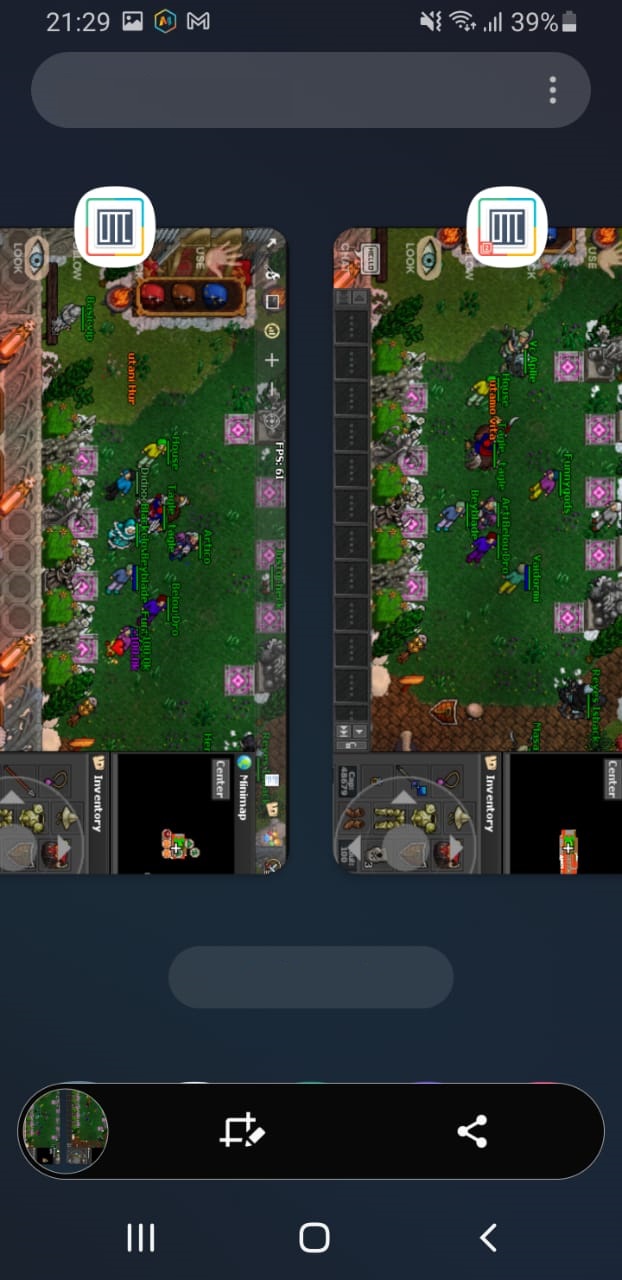
Setting multi client for mobile
MultiClient Guide

Ready to run MultiClient on your Android phone? It's simple, follow these steps to get started:
1) Go to the Play Store: On your Android device, open the Play Store.

2) Download "DO Multiple Space". It's your gateway to launching MC. You can search for it in the Play Store or click the link to open it in a new tab.

3) Once installed, open the app and look for the "+" symbol at the bottom right corner of your screen. Tap on it!

4) Find Tibia Canob in your app list and add it to DO Multiple Space. This will make MC ready to roll.

5) Just tap on Tibia Canob, and MC will start automatically.

Repeat the process from pressing the "+" symbol to add more mcs. How cool is that?


36442
28056
Players
Accounts
Welcome, Pallytex!
Newest player
709,5b
323,5b
162,0b
156,1b
115,6b
110,0b
103,8b
103,7b
102,2b
90,6b